In many companies, the idea to automate a process shows up early: too many emails, too much copy-paste, too many follow-ups, too many avoidable mistakes. The problem is that not every repetitive task deserves automation. Some need to be clarified, simplified, or standardized first. Others are so marginal that keeping them manual is simply more rational. The right question is not can we automate this? but is it actually worth it?
The essentials
- A process deserves automation when it combines repetition, manual cost, stability, and real business impact.
- Automation is rarely the first move: in many cases, the process should be simplified before it is automated.
- A good decision relies on a clear framework, not on the latest technology excitement.
Why not every task should be automated
Automating too early often creates a paradox: you hard-code a messy process into a tool. The company may save a few minutes per operation, but it also makes the workflow more opaque, more brittle, and harder to evolve. This is a common mistake in SMBs and mid-sized companies: confusing a local gain with a structural improvement.
Useful automation should remove a real operational bottleneck: wasted time, dependency on a few key people, recurring errors, slow turnaround, lack of traceability, or the inability to handle more volume without hiring. If none of those problems is truly present, the topic is probably not a priority.
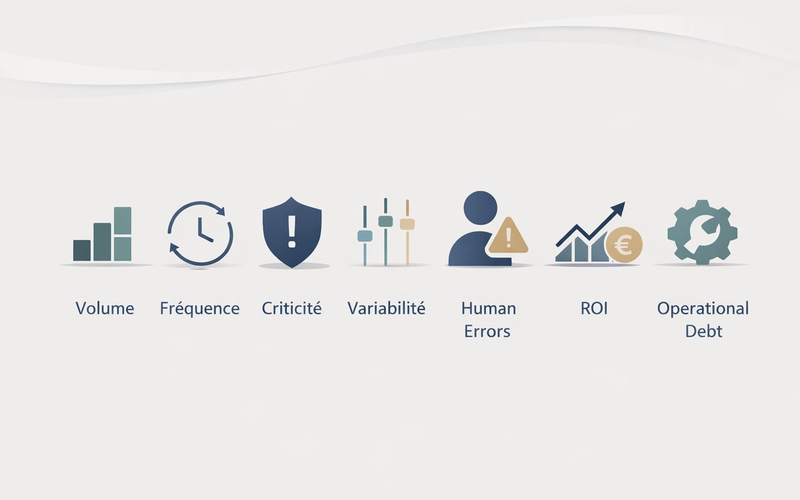
The 7 criteria to decide whether a process is truly worth automating
1. Process volume
The more volume a workflow handles, the more visible manual waste becomes. Volume can be measured in cases, emails, requests, invoices, leads, tickets, or data rows. Low volume does not rule automation out, but then it must be offset by high criticality or a high cost of error.
2. Execution frequency
A daily or weekly task creates a very different operational burden from a monthly one. Frequency matters as much as volume because it drives mental load, omissions, and constant context switching. A task repeated again and again, even if short, is a strong candidate when it keeps interrupting valuable work.
3. Business criticality
Not all wasted hours have the same value. A process may be infrequent but still critical: regulatory validation, contract document generation, customer data synchronization, payment processing, inventory updates, or sending the right information to a partner. The higher the business impact, the easier it is to justify automation.
4. Case variability
This is often the most underestimated criterion. A stable process with clear rules and few exceptions is usually a good fit for automation. A process full of edge cases, implicit judgment calls, and unstructured inputs requires more caution. In those situations, partial automation is often the better target: pre-filling, routing, controls, or decision support rather than full execution.
5. Human error rate
When a task depends on retyping, copy-paste, repeated checks, or manual handoffs across multiple tools, mistakes eventually become expensive. Not only financially: they also consume correction time, damage internal trust, and degrade customer experience. Well-designed automation primarily reduces execution variability.
6. Realistic ROI
Return on investment should not be wishful thinking. You need to look at time saved, avoided cost, lower error rates, better traceability, faster processing, but also design cost, integration effort, maintenance, and future changes. Profitable automation is not always dramatic. More often, it is quiet, reliable, and durable.
7. Operational debt
Some processes keep running only because of accumulated workarounds: side spreadsheets, undocumented rules, double entry, export/import routines, or dependence on one person who 'knows how it works.' Even if current volume is not huge, this operational debt becomes a real risk. In that case, automation is not only about saving time, but about making the organization more resilient.
"The real goal is not to automate as much as possible. It is to remove as much friction as possible where it truly slows the business down."
A simple framework to decide quickly
To avoid vague debates, the most effective approach is to score each criterion out of 5. That does not replace business analysis, but it helps prioritize quickly. A high score does not automatically mean you should launch a project. It means there is likely a real operational problem worth addressing properly.
| Criterion | Question to ask | Strong signal |
|---|---|---|
| Volume | How often does this workflow move through the team? | The cumulative time loss is visible every week |
| Frequency | How often does the action need to be repeated? | The task keeps coming back and interrupts real work |
| Criticality | What happens if it is done poorly or forgotten? | Customer, financial, legal, or operational impact |
| Variability | Does the process follow stable rules? | Few exceptions, standardized steps |
| Human errors | Are mistakes frequent or costly? | Retyping, omissions, inconsistencies, recurring fixes |
| ROI | Does the expected gain outweigh the full cost? | Credible medium-term payback |
| Operational debt | Does the process depend on fragile workarounds? | Reliance on patches or a few key people |
What to automate, improve first, or keep manual
Three possible decisions for a process
Avoid
- Automating a poorly defined workflow full of exceptions
- Launching a technical project for a marginal irritation
- Chasing full automation when partial support would be enough
Prefer
- Automating stable, frequent workflows that are expensive to handle manually
- Simplifying or standardizing confusing processes before automating them
- Keeping manual what remains rare, strategic, or heavily dependent on human judgment
In practice, there are three sound paths. Automate, when the process is mature and costly. Improve first, when the issue is mainly lack of clarity, rules, or structure. Keep manual, when the task is rare, highly contextual, or simply easier to execute than to industrialize.
- Automate when the process is stable, frequent, measurable, and painful to manage manually.
- Redesign first when teams themselves describe the workflow differently.
- Keep it manual when volume is low and human judgment creates most of the value.
The classic mistakes that destroy automation value
The first mistake is starting from the tool instead of the problem. The second is trying to do too much at once. The third is ignoring hidden costs: data quality, edge cases, training, maintenance, governance, security, or dependency on a vendor. These mistakes do not just make a project more expensive; they also damage its internal credibility.
- Automating without mapping the real process first.
- Underestimating exceptions and data inconsistencies.
- Measuring only time savings and not risk reduction.
- Launching a heavy project when a targeted automation would be enough.
- Forgetting who will own and run the workflow after go-live.
How to move from idea to real decision
A good automation decision can be reduced to a few questions: how much time is wasted today, where do errors happen, what is the business impact, what are the exceptions, what level of integration is required, and who will own the process tomorrow. From there, a company can choose between a simple tooling adjustment, a light integration, a deeper workflow automation, or custom software.
A simple decision sequence
Map the real workflow
Observe how the process actually works, not just how it is supposed to work.
Score the 7 criteria
Use a quick score to make the discussion concrete and prioritize objectively.
Choose the right response level
Manual, optimization, integration, partial automation, or a custom system.
Test on a limited scope
Validate the real gain, the exceptions, and the operating conditions.
This is the point where automation becomes an operations leadership topic rather than a simple tooling topic. The goal is not to stack more solutions. The goal is to reduce friction durably and make the business more understandable, more reliable, and easier to scale.
Frequently asked questions
01 Should the longest tasks be automated first?
02 Can a highly variable process still be automated?
03 How do you estimate ROI without perfect numbers?
04 When should custom software be considered?
Automating a process can become a real performance lever, but only if you pick the right battles. The right approach is to look clearly at repetition, impact, stability, and operational debt. That sorting looks simple, but it changes a lot: it avoids gadget projects, concentrates effort where the gain is real, and turns automation into an operations management decision.
Key points
- Do not automate a task just because it is repetitive.
- Prioritize processes that are frequent, stable, critical, and generate errors or operational debt.
- When the workflow is too unclear, simplify it before automating.
- The real ROI comes as much from robustness and reliability as from time savings.